Restore
Restore faded and discolored photos with AI
A photo that's gone pale, yellow, or washed-out can be brought back. The AI reads what little tone survives, rebuilds the lost contrast, and corrects the color cast that age leaves behind — so a faded print looks the way it did when it was new.
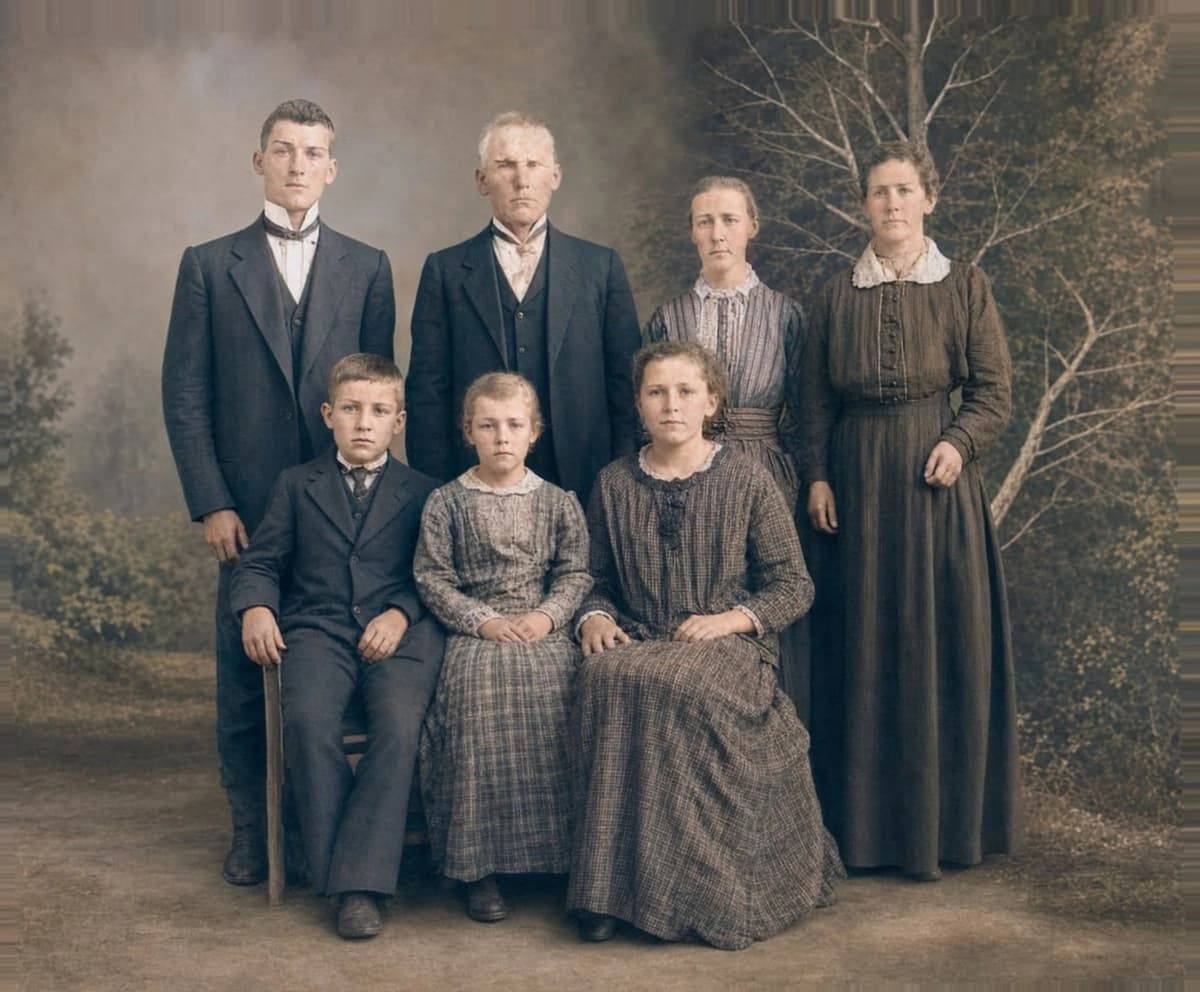
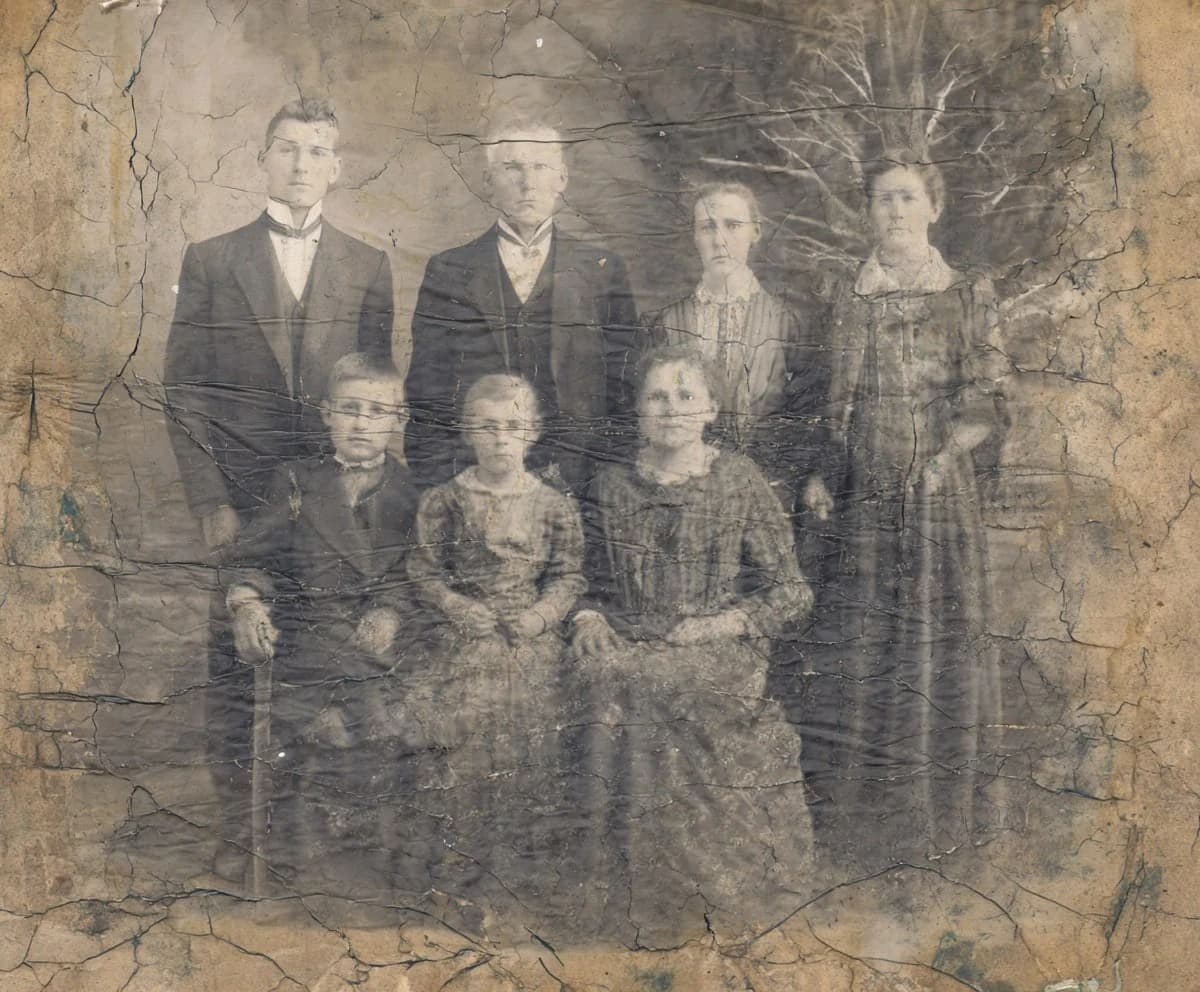
Drag the slider to compare.
Why old photos fade in the first place
Fading is chemistry, not damage. Light, heat, and humidity slowly break down the dyes in a color print and the silver in a black-and-white one. Sunlight on a framed photo is the worst culprit — it bleaches the image unevenly and shifts color prints toward red, orange, or magenta as the other dyes give out first. The good news is that fading rarely removes the picture; it drains it. That faint, surviving image is enough for the model to work back from.
Faded color photos vs. faded black-and-white
These fade in different ways, and the AI corrects them differently. A color print from the 70s, 80s, or 90s usually doesn't just go pale — it goes the wrong color, because its three dye layers fade at different rates. That's why old snapshots turn reddish or yellow-green. Restoration neutralizes the cast and rebuilds believable color underneath. A black-and-white print fades by losing contrast: the blacks turn grey and the whites turn cream. There the model restores the tonal range, bringing back deep blacks and clean highlights without you touching a single slider.
Get the most out of a faded scan
Start from the cleanest scan you can make, and don't try to 'fix' it first. It's tempting to crank brightness or saturation in your phone's editor before uploading, but that throws away the subtle information the model needs and bakes in a guess it then has to undo. Scan the faded original as it is — flat, evenly lit, at a good resolution — and let the AI read the real tones. The fainter the image, the more it helps to give the model an honest, unedited copy.
Restore only, or restore and colorize
For a faded color photo, a plain restore is usually all you need — it corrects the cast and brings the existing colors back, no colorization required. For a faded black-and-white photo, restore first to recover the contrast; then, if you want, colorize the clean result as a second step. Running both on a faded B&W print gives the most dramatic before/after, but do the restore first so you're colorizing a photo with its tones back, not a flat grey one.
When fading has gone too far
There's a point where fading crosses into loss. If a photo has sat in direct sun for years until part of it is a near-blank, milky patch, there's no surviving tone there for the model to recover — it will fill the area with something plausible, which is reconstruction, not restoration. Most faded photos aren't this far gone; they're drained but intact, and those come back convincingly. For a severely bleached corner or a sun-stripe across a face, check that region closely and keep the original alongside.
Printing and keeping the restored version
A restored photo is a separate file — your faded original is never changed, so you keep both. The restored version prints and shares like any modern photo: send it to family, or reprint it at the original size to replace the copy that faded on the wall. If the fading was bad enough that you'd half-forgotten the real colors, seeing them back is the whole point — and worth keeping a fresh print somewhere out of direct sunlight this time.
Common questions
Can AI really restore a badly faded photo?
- Usually, yes — as long as the image is faded rather than physically gone. Pale, washed-out, and color-shifted photos come back well because the picture still survives underneath the fading; the model rebuilds the contrast and corrects the color. Only an area bleached to a near-blank patch has nothing left to recover.
My old color photos turned red or orange. Can that be fixed?
- Yes. That reddish or orange cast is the classic way color prints fade — the other dyes break down faster and leave the red behind. Restoration neutralizes the cast and rebuilds believable color underneath, so skin, sky, and clothing look natural again instead of tinted.
Will the colors be accurate after correcting a color cast?
- They'll be believable, not guaranteed. The model restores natural, plausible color — right skin tones, a normal sky, sensible clothing. A specific color it can't infer, like the exact shade of a dress, is its best guess. Treat the result as a faithful restoration, not a color document.
Should I restore or colorize a faded black-and-white photo?
- Restore first. Restoration brings back the lost contrast and detail and keeps it black and white. If you then want color, colorize the restored version as a second step — you'll get a better result colorizing a photo with its tones recovered than a flat, faded one.
What happens to my photos after I upload them?
- Your images are processed to generate the result and are not used to train models. See our privacy policy for how long files are kept and how to delete them.
Try it on your own photo
Upload one photo and see the result in about a minute. Start with the one that matters most.
Get started