Rescue
Restore water damaged photos with AI
Water stains, sticking, and the faded blotches left after a flood or a leaky box can be cleaned up automatically. The AI separates the stain from the image underneath and rebuilds the original tone.

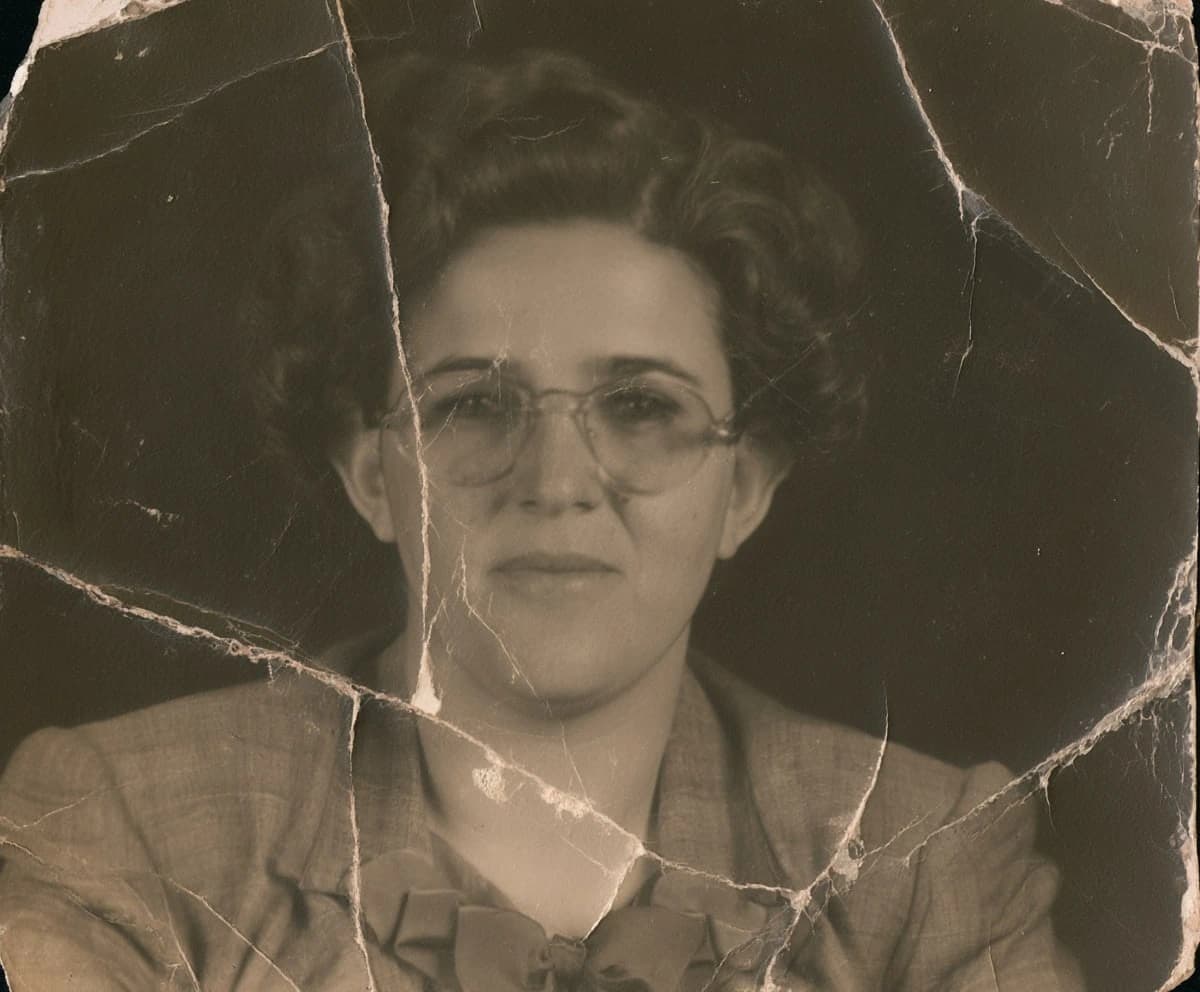
Drag the slider to compare.
Scan it before it gets worse
Water damage keeps spreading as a print dries and sticks. Digitize it now, even if it looks rough — a scan freezes the damage where it is and gives you something to work from. If prints are stuck together, don't force them apart dry; a conservator can advise, but a careful scan of the visible side still helps.
Stains, blooming, and lost emulsion
Surface staining and discoloration clean up well, because the picture beneath is intact. Where water has lifted the emulsion and the image is physically gone, the AI fills the area with plausible detail rather than the original — convincing for backgrounds, less so for a face. Set expectations by how much actual image survived.
What the AI actually does, step by step
Behind the one-minute wait, the model works in passes. First it maps the damage — where staining, blooming, and missing emulsion sit against intact picture. Then it rebuilds tone and contrast across the whole frame, so the cleaned areas match their surroundings instead of leaving bright patches. Finally it reconstructs fine detail the water blurred: the edges of faces, fabric, and background. You upload one file and get one result; the staged work happens on our side.
Flooded albums: what to rescue first
After a flood you usually have more prints than time, and wet photos keep degrading by the hour. Triage by what is irreplaceable and what is deteriorating fastest. Pull anything stuck to glass or to another print first, and anything with visible mold. Photos of people beat duplicate scenery. If a print is still wet, rinse mud off gently with clean water, lay it face-up to air-dry, and scan it once dry — then restore the scan here, not the fragile original.
AI restoration vs a professional studio
A hand restoration from a studio runs roughly $40–$200 per photo and takes days to weeks, and for a museum-grade heirloom that care is worth it. AI restoration costs a fraction of that and finishes in about a minute, which is what makes it practical for a whole boxful. A sensible workflow: run everything through AI first, then send only the few that still need human retouching to a professional. You spend the studio budget where it actually matters.
Mold, mildew, and the smell of a wet box
Standing water and humidity breed mold, which shows up as fuzzy black, green, or purple spots and a musty smell. On the scan, the AI removes that discoloration the same way it handles any stain — but the physical mold keeps eating the print, so isolate a moldy photo from the rest of your collection and scan it sooner rather than later. Once it's digitized, the spores can't touch the file, and you can clean up the image at your own pace without the damage spreading further.
Keep the rescued version safe
The whole point of digitizing is that the next flood, leak, or damp basement can't take the photo again. Once you have a clean restored file, back it up in two places — a drive and the cloud is the simple rule — and share it with relatives, which quietly creates more copies. The fragile original can go into archival storage in a dry box, but it no longer carries the only copy of the memory, which is exactly the position you want to be in.
Common questions
How do I fix a water-damaged photo?
- Scan or photograph the print, upload it here, and the AI removes stains and discoloration and rebuilds contrast in about a minute. If the print is still wet, air-dry it flat first so it doesn't stick to the scanner glass.
Can a soaked or still-wet photo be restored?
- The image, yes — but dry the physical print first. Lay it face-up on a clean surface out of direct sun; once dry, scan it and run the scan. Forcing a wet print through a scanner usually causes more damage than it saves.
Can I repair water-damaged pictures without Photoshop?
- Yes — that's the whole point. There are no masks, layers, or retouching to learn. You upload the photo and the AI does the repair; Photoshop skills aren't required.
The colors have gone orange and faded. Can that be fixed?
- Yes. Color casts and fading from age or moisture are among the things AI restoration corrects most reliably, bringing back neutral tones and contrast.
Two photos are stuck together — what do I do?
- Don't peel them apart dry. Scan what's visible and run that. For valuable prints stuck face-to-face, a professional conservator can separate them safely first.
Try it on your own photo
Upload one photo and see the result in about a minute. Start with the one that matters most.
Get started