Sharpen
Unblur old photos and sharpen faces
Old cameras and slow shutters left a lot of photos soft. AI can recover a blurry face — eyes, jawline, hair — by restoring the detail the blur smeared away, bringing a fuzzy portrait back into focus.
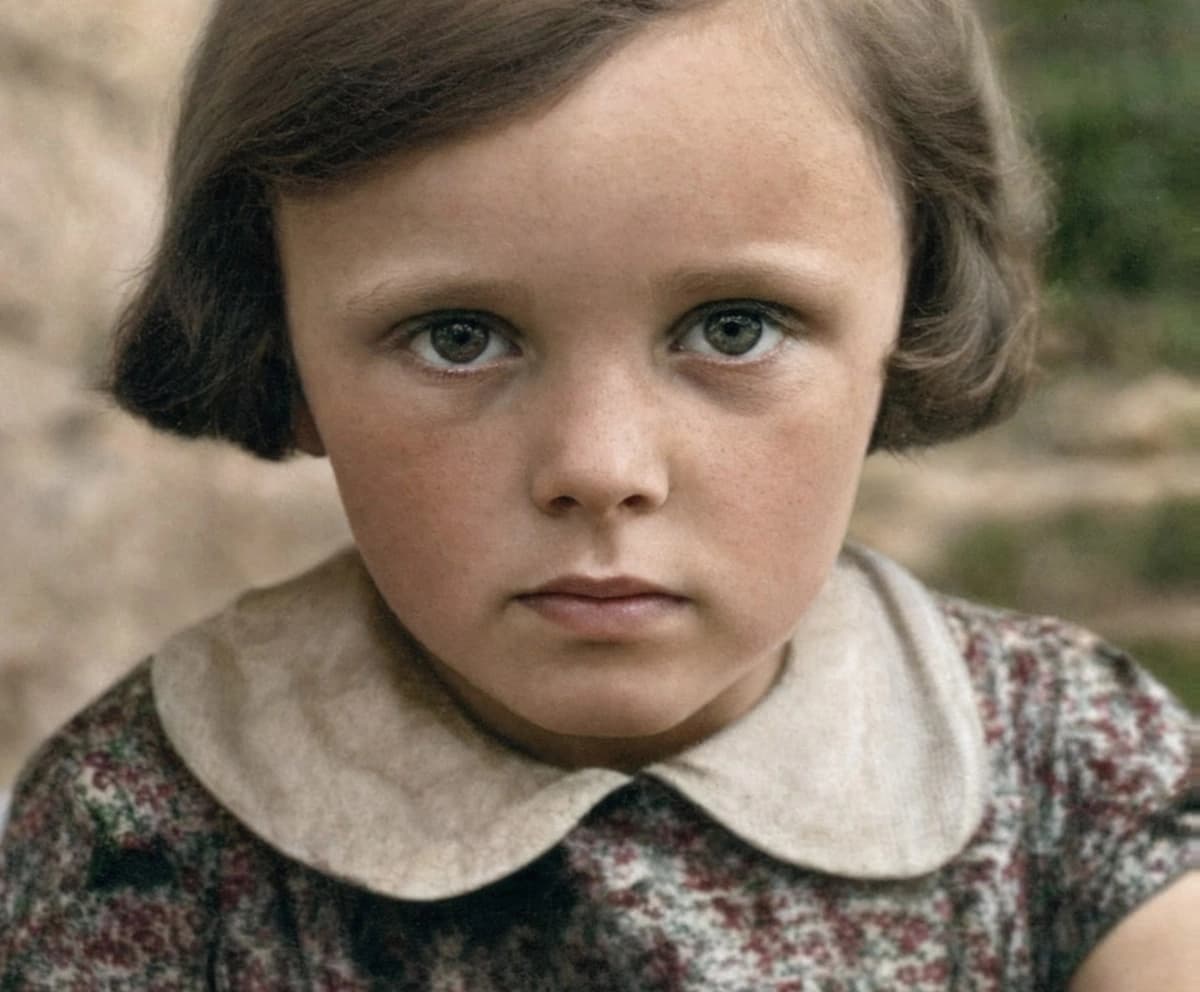
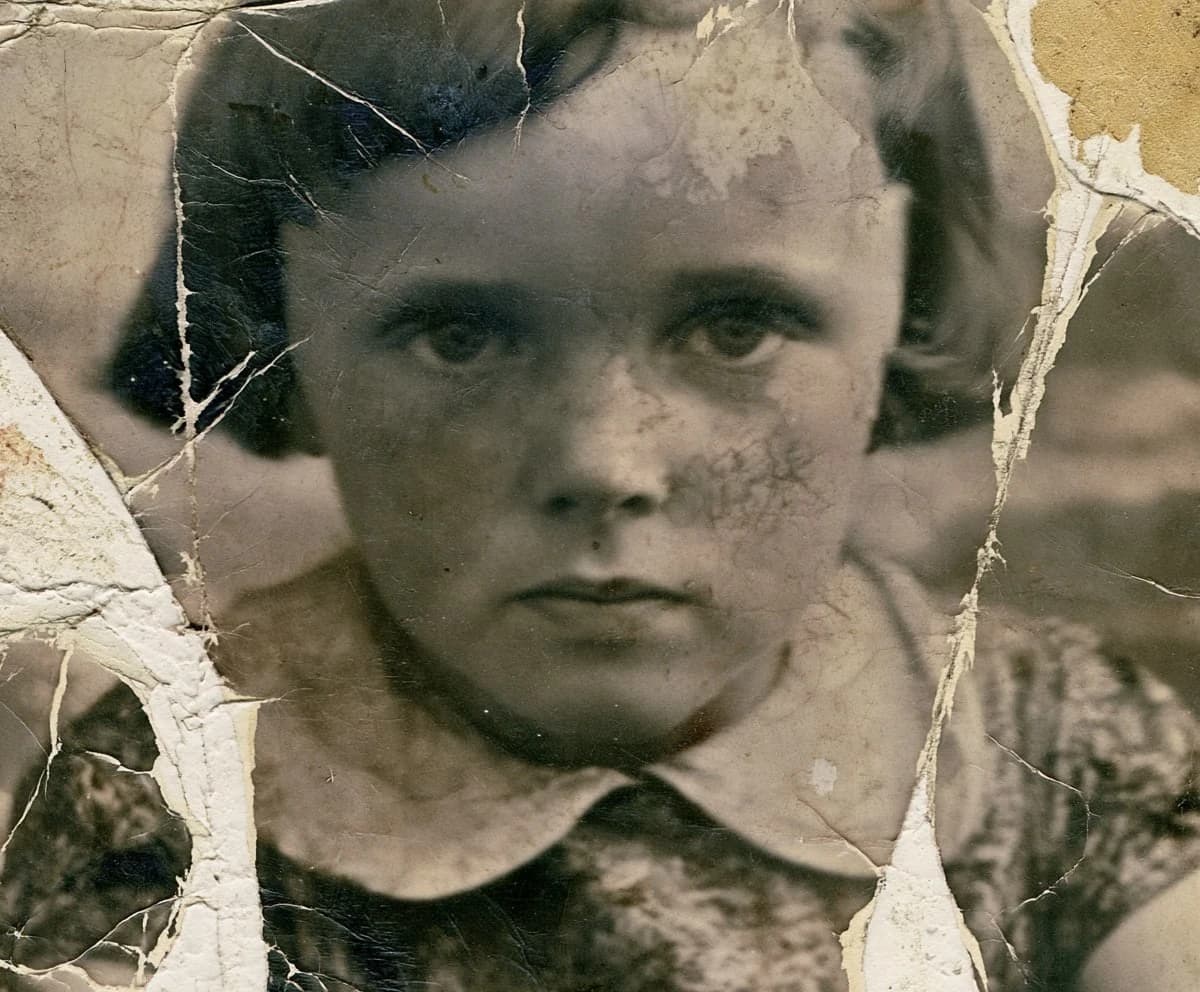
Drag the slider to compare.
Sharpening vs. reconstruction
A basic sharpen filter just boosts edge contrast, including the noise. AI face restoration does something different: it recognizes facial structure and restores the detail the blur smeared away. That's why it can recover a face a filter would only make crunchier.
Keep it looking like the real person
The failure mode is over-smoothing — pores gone, skin like plastic, everyone vaguely the same. A good result keeps texture and the small asymmetries that make someone recognizable. If a sharpened face looks like a stranger, that's the tool doing too much, not too little.
Why old photos look blurry in the first place
Softness comes from a few different sources, and they don't all recover the same way. A slow shutter on a moving subject leaves motion blur; a missed focus leaves the whole frame soft; an aging lens or a cheap camera was never sharp to begin with; and a careless scan can add its own blur on top of a print that was actually fine. The AI handles focus softness and mild motion best. If the blur came from the scan, rescanning at higher resolution often helps more than any software.
When it can't help: heavy blur and tiny faces
There's a floor below which there simply isn't enough information. A face a dozen pixels wide, or one smeared by hard motion blur, doesn't give the model enough to reconstruct honestly — push it and you get a confident, invented face that isn't the person. The tool is at its best on a face that's soft but still legible, where it has real structure to sharpen rather than imagine. When in doubt, start from the largest, cleanest copy you have.
Unblur and restore in one pass
Blur rarely travels alone — the same old print is often faded, scratched, or yellowed too. Running a full restore sharpens the face and fixes the rest in a single pass, so you're not stacking one tool's output onto another's. If the photo is only soft, sharpen alone is enough; if it's soft and damaged, full restore gives the cleaner, more even result.
Scan settings that keep what sharpness is left
How you digitize a soft photo decides how much the AI has to work with. Scan at 600 dpi or higher for a small print, keep the glass and the photo clean, and turn off the scanner's own 'sharpen' and 'descreen' filters — they bake in artifacts the model then has to fight. A flat, neutral scan that preserves all the original detail beats a pre-sharpened one every time, because the AI would rather start from the truth than from another tool's guess.
Group shots and faces in the background
A blurry crowd is a harder problem than a single soft portrait. The AI sharpens the faces it can actually resolve, but a face that's tiny and out of focus in the back row simply doesn't carry enough information, and pushing it invents features. Expect the foreground subjects to come back clearly and the distant ones to improve only modestly. If one particular background face is the reason you're restoring the photo, start from the largest scan you can make of it.
Common questions
Can AI really sharpen a blurry face?
- Yes, as long as the face is still legible. The model rebuilds the features it can read — eyes, nose, jawline — rather than just boosting edges, which is why it recovers detail a normal sharpen filter can't.
Does it work on a phone photo of an old print?
- It can, but a flatbed scan is better. A phone snap adds its own softness and angle; if a phone is all you have, shoot straight-on in even light and fill the frame with the print.
Will the sharpened photo look over-processed?
- It shouldn't. The model aims to keep skin texture and natural asymmetry rather than airbrush them away. If a result looks plastic, it's usually a sign the original was too blurry for an honest reconstruction.
Can it fix motion blur, or only soft focus?
- Mild motion blur and general softness improve a lot. Severe motion streaks — where features have smeared across the frame — leave too little for the model to reconstruct accurately.
Will a tiny, low-resolution photo work?
- Up to a point. The more pixels you start with, the more the model has to work from. A larger scan of the same print always beats a thumbnail.
Try it on your own photo
Upload one photo and see the result in about a minute. Start with the one that matters most.
Get started