Colorize
Colorize black and white photos with AI
Upload a black-and-white photo and get a colored version back in seconds. The AI reads the light and context in the image to pick believable tones — warm skin, a blue sky, the right green for grass — without you choosing a single color.
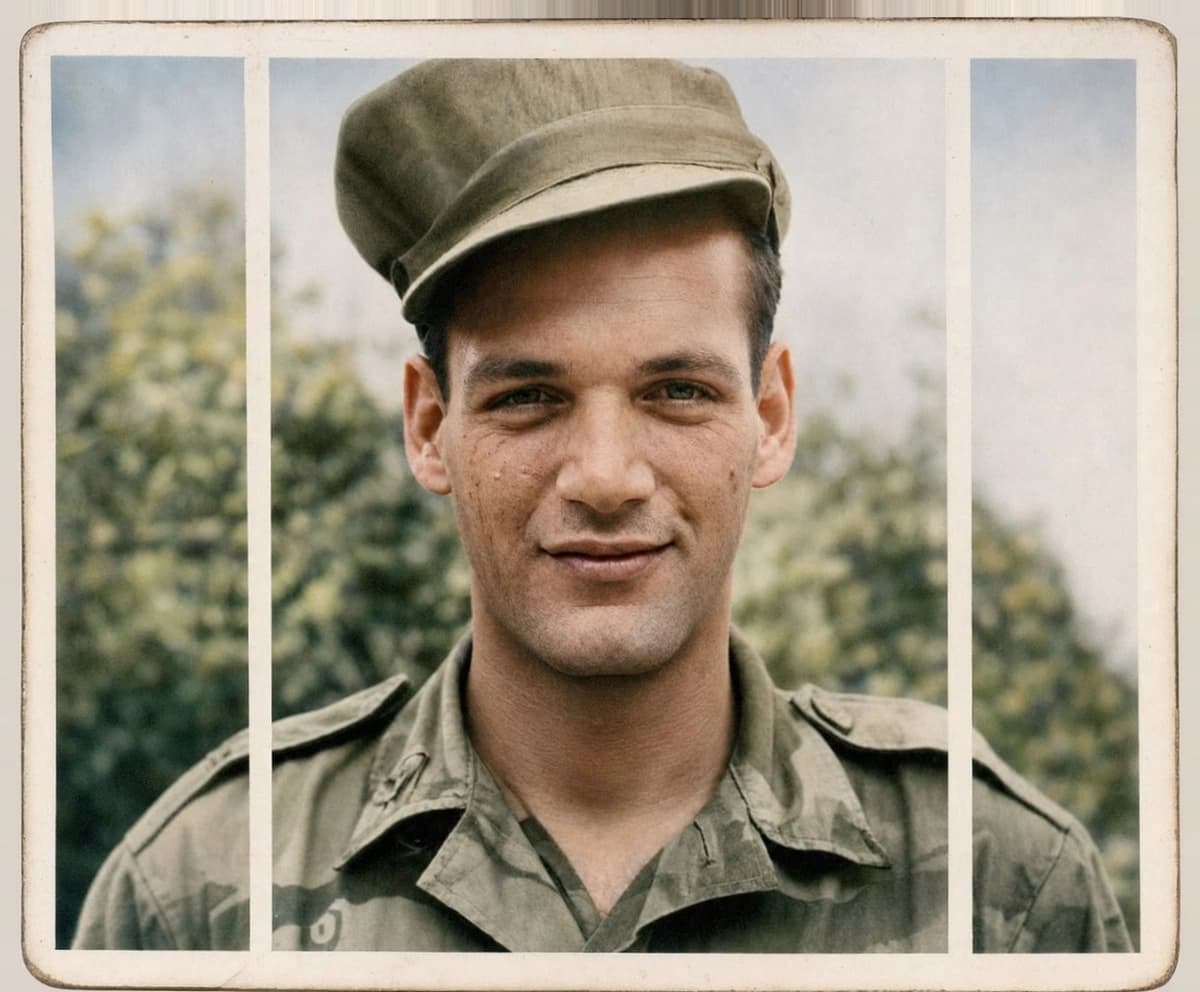
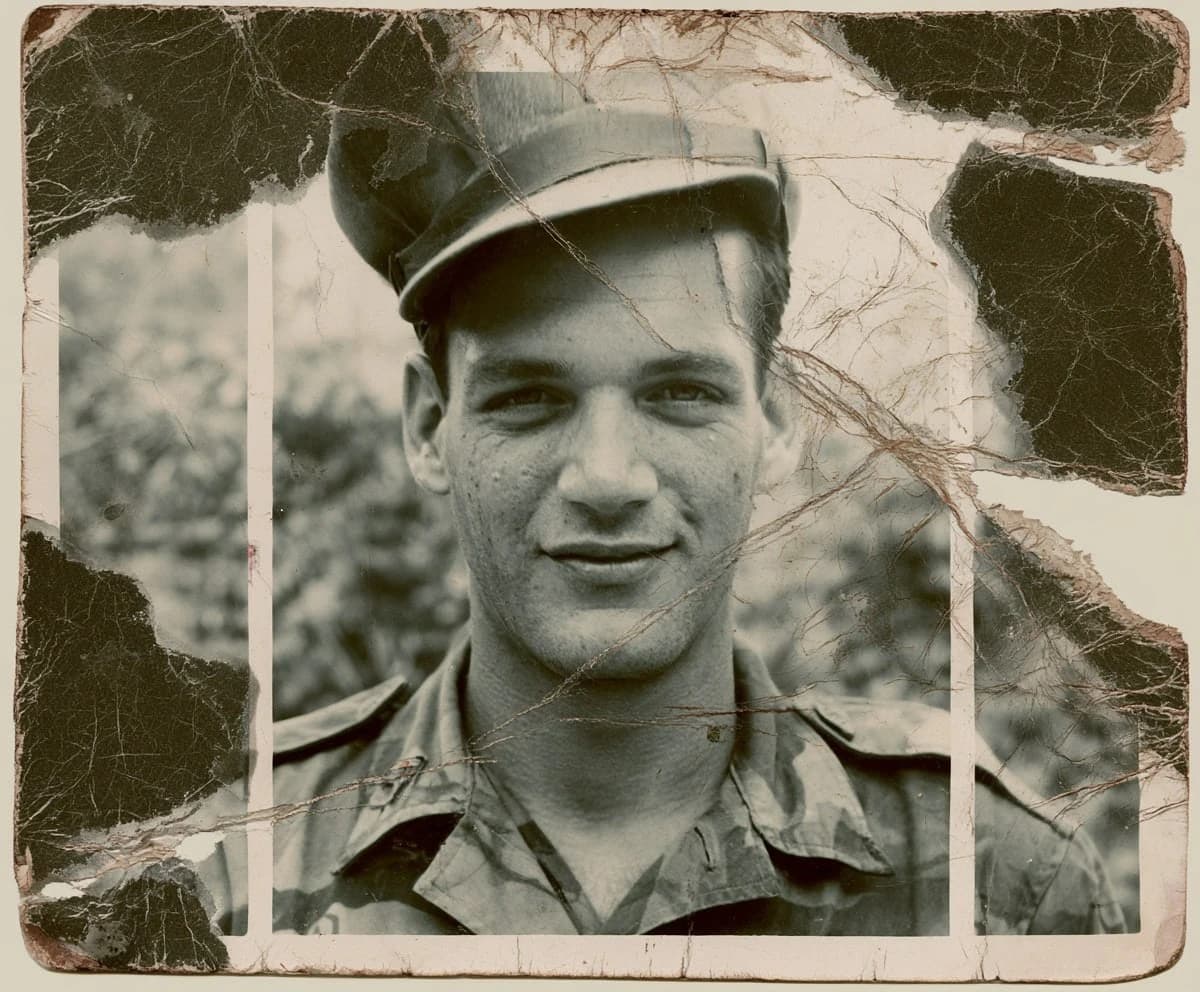
Drag the slider to compare.
What colorization actually does
It's an educated guess, not a record. The model has seen millions of color photos, so it knows skin should be warm, foliage green, an overcast sky grey-blue. It applies muted, period-appropriate tones rather than neon — which is what keeps a 1940s portrait from looking like a poster. Where it can't know the answer, like the exact color of a specific dress, it makes its best call. Treat the result as interpretation.
Get the most natural color
Start from the cleanest scan you have. Scratches and heavy grain confuse the model about where edges are, which shows up as color bleeding past a collar or hairline. If your print is also damaged, restore it first, then colorize the repaired version — you'll get cleaner boundaries and more even tone.
Colorize only, or restore and colorize together
Colorize is one of three modes. On its own it leaves the photo's condition alone and only adds color — right when the print is clean and you just want it in color. If the same photo also has scratches, fading, or a tear, the full restore mode fixes the damage and colorizes in one pass, and the before/after is far more striking. As a rule: a clean B&W print → colorize; a damaged B&W print → full restore.
Military, wedding, and school photos
Some subjects colorize especially well because the model has seen so many like them. Uniforms get plausible tones, though a specific insignia color can be off — worth a manual check for collectors. Wedding photos bring back the warmth of skin and the cream of a dress that grey film flattened. Class and school portraits, with their even studio lighting, are some of the most reliable of all. Faces under soft, frontal light are where colorization is at its best.
Printing and sharing the colorized version
A colorized photo is a new interpretation, so it's worth keeping the black-and-white original alongside it rather than replacing it. The color version prints and shares like any modern photo — send it to family, or print it at the original size with confidence. If you're making a gift, a colorized print of a grandparent's wedding tends to land harder than the faded original ever could.
Subtle and period-true vs. bright and modern
There's a choice of mood in colorization. Restory leans toward muted, period-true tones, because that's what keeps an old photo feeling like its era rather than a modern edit. If a result feels a touch restrained for a cheerful subject — a child's party, a summer garden — that's the model erring on the safe side. You can always warm or saturate the finished color in any editor afterwards; it's far easier to add a little vibrance than to walk back colors that came out garish.
Outdoor scenes, landscapes, and crowds
Beyond portraits, the model is strong on scenes it has plenty of reference for: green fields, blue skies, brick and stone, foliage that shifts with the season. Crowds and groups colorize well too, though individual clothing colors are guesses — a sea of coats comes out plausibly varied rather than documentary-accurate. For a landmark or a uniform with a known color, check that one element specifically; everything around it will be reliable.
Common questions
Can I keep part of the photo black and white?
- Not selectively within one pass — the AI colorizes the whole image. If you want that look, colorize it first, then mask the part you want to keep grey in any photo editor over the colored result.
Does colorizing change or damage my original scan?
- No. Your upload is never altered; the AI produces a separate colored file and leaves the original untouched, so you always keep the black-and-white version.
Why did one object come out the wrong color?
- The model infers color from context, and for something it can't deduce — a particular dress, a flag, a team's colors — it picks the most likely option, which is sometimes wrong. Everything else stays correct; just don't rely on it for a specific known color.
Is the color historically accurate?
- It's plausible, not certain. Skin, sky, and landscape come out reliable. A specific uniform or fabric color the model can't infer may be wrong, so don't treat it as documentation.
Can I colorize and repair damage at the same time?
- Yes. Running a full restore handles scratches and color together, which gives the most dramatic before/after on a damaged B&W print.
Try it on your own photo
Upload one photo and see the result in about a minute. Start with the one that matters most.
Get started